
IBM Robotic Process Automation
.png)

IBM Robotic process automation (RPA) is a software technology that makes it easy to build, deploy, and manage software robots that emulate humans actions interacting with digital systems and software.
Just like people, software robots can do things like understand what’s on a screen, complete the right keystrokes, navigate systems, identify and extract data, and perform a wide range of defined actions. But software robots can do it faster and more consistently than people, without the need to get up and stretch or take a coffee break.
About the project
In this project, we were tasked to enable easier bot runs for the user and introduce the feature of scheduling RPA bots.
Team
1 Product Manager
2 UX designers
3 developers
My Role - Lead Designer
Timeline
3 months
Persona - Bob the builder
Bob is a developer who builds, deploys and manages the software robots.
Bob's frustrations
Bot creation is unnecessarily lengthy and complex
I need to install another application to run the bots
I always need to be present to run bots, no way to schedule them.
Goals
Bob needs a simple way to create and run bots and also schedule them.
He further wants to view and manage the scheduled bots.

Bob needs a simpler way to run bots
As-is scenario

To-be scenario


Hi - Fidelity to be scenario screens


Bob needs a way to schedule bots and manage bot runs
As-is scenario
There's no option for Bob to schedule bots currently. Everytime he needs to initiate a bot run just in time.

To-be scenario


Create a schedule


View of scheduled bots


View and status of all bot runs

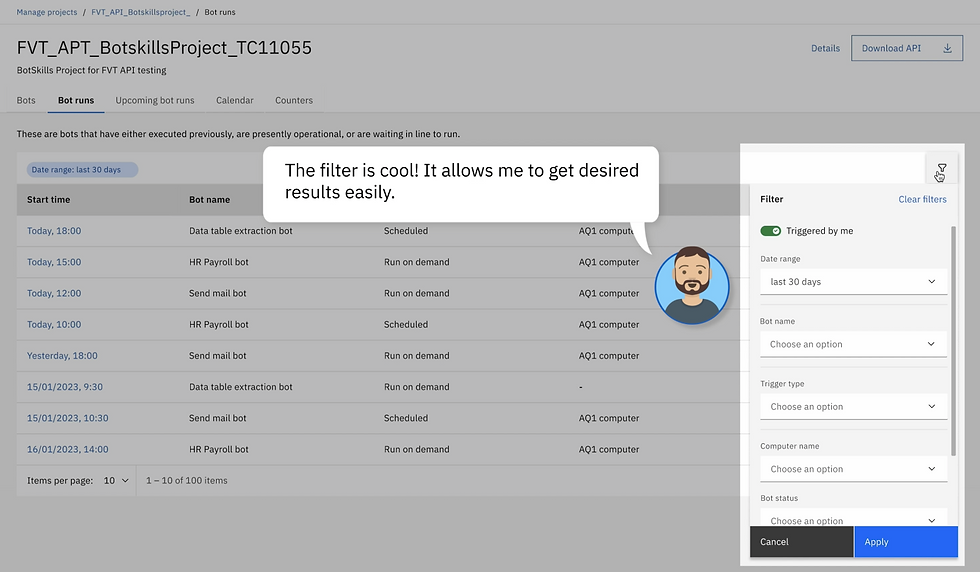
Bot details and logs


Bot details and logs
I wish I could see all my past present and future bot runs in one place.

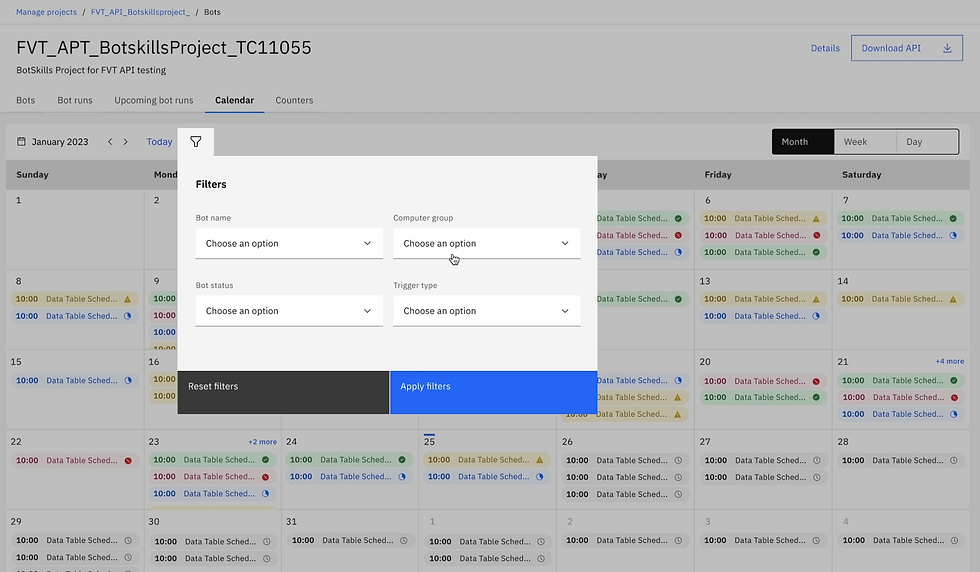


User Research Study
Design concepts
2
Participants
6
Minute interview sessions
60
User tasks
10
Key takeaways
-
The calendar view is useful for users when they want to see what is happening over a period of time. This feature is more useful for tenant and platform administrators. The list view is useful when the user is concentrating on bots rather than period.
-
Users feel the list view needs to be more intuitive, with the ability to add or remove columns and thorough filltering.
-
Applying filters is the feature the users liked the most and wants to be part of final design.
-
Both calendar view and list view comes with certain advantages and limitations.
-
Next occurence date is more important to users than the created date in the schedules list.
User feedback

Prototype
